AI-powered interfaces differ fundamentally from traditional software. Traditional applications rely on deterministic logic, where the same input consistently yields the exact same output. AI systems are probabilistic—their output is driven by statistical patterns, introducing the possibility of inaccurate results or hallucinations. Consequently, product designers must move beyond static screens and focus on managing probabilities, behaviors, and uncertainty.
This practical framework outlines the foundational rules for designing AI interfaces that deliver usability, reliability, and human agency (Human-in-the-loop).
1. Mental Models & Trust Architecture
User frustration often stems from a gap between expectations and reality—specifically when users expect human-level cognition from a statistical model.
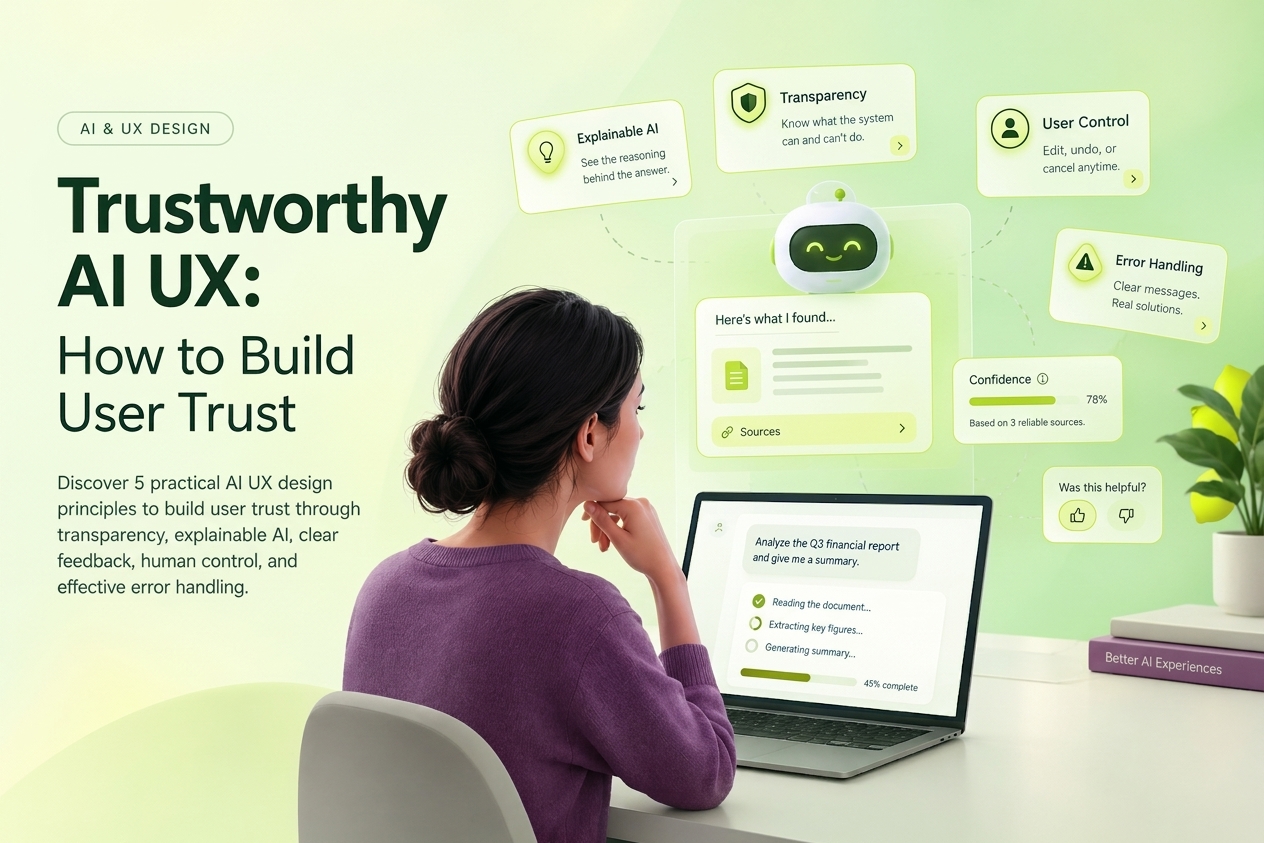
- Explicit System Capabilities:Define operational boundaries immediately. Use Prompt Starters or onboarding cards to showcase what the system excels at and where its limits lie (e.g., "I can analyze sales data from CSV files, but I cannot access live banking systems").
- Confidence Indicators:In predictive or analytical systems, surface the model's certainty level (e.g., Prediction confidence: 87%). This allows users to decide whether to accept an output automatically or review it manually.
- Explainable AI (XAI):Make model reasoning transparent through In-context Reasoning. Display the sources, parameters, or logic behind a generated result to avoid the "black box" effect.
2. Designing for Probabilistic Failure
In AI interfaces, failure is not an anomaly; it is an expected edge case (Edge Case by Design).
- Inline & Immediate Editing:Treat generated outputs as starting points, not final artifacts. Provide quick-editing controls, such as inline text editors or a Regenerate option that allows users to tweak their original prompt without starting over.
- Closed-Loop Feedback:Integrate lightweight feedback mechanisms (e.g., Thumbs Up/Down) with structured follow-ups (e.g., Inaccurate, Too long, Off-topic). This gives users a sense of agency while providing training data for model refinement (RLHF - Reinforcement Learning from Human Feedback).
- Graceful Degradation & Fallbacks:When network connectivity fails or model confidence drops below a safe threshold, the interface should gracefully fall back to deterministic UI patterns (such as standard search bars or manual dropdowns) rather than breaking completely.
3. Conversational UI & Hybrid Interactions
A completely blank input field (Blank Canvas/Prompt Input) creates cognitive friction by forcing users to master Prompt Engineering just to get started.
- Hybrid Interaction Design:Combine text input with interactive UI elements. Use Cards, Pills/Chips, and context menus to reduce typing effort and cognitive load.
- Progressive Streaming & Thought Process:Implement Text Streaming to show real-time progress, paired with status indicators that reveal step-by-step reasoning (e.g., Searching documents... Found 3 relevant files... Summarizing). This transparency manages perceived latency and keeps users informed.
4. Generative UX & Productivity Tools
In generative tools (text, code, visual assets), the objective is to augment human capabilities rather than replace them.
| Design Element | Best Practice | User Benefit |
| Control Sliders | Visual controls for Tone, Length, or Creativity. | Eliminates complex prompt writing for style adjustments. |
| Multi-variant Generation | Presenting 2–4 generated options simultaneously. | Streamlines side-by-side comparison and selection. |
| In-situ / Canvas Generation | Embedding AI tools directly within the active workspace. | Prevents context switching and maintains focus. |
5. Adaptive & Personalized UI
Interfaces that adapt based on user behavior save time, but they can cause disorientation if predictability is lost.
- Proactive yet Unobtrusive Assistance:Surface adaptive suggestions contextually using subtle cues (Ghost text / Subtle Tooltips) without interrupting the primary workflow or triggering intrusive modal dialogs.
- Interface Predictability:Keep primary navigation and core controls (e.g., save buttons, main menus) in fixed positions. Structural consistency protects muscle memory.
- Manual Override:Always provide a way to disable automated suggestions or override adaptive defaults so users retain ultimate control over their workspace.
Common AI UX Pitfalls to Avoid
- Over-reliance on Unstructured Prompting: Assuming all users know how to write effective prompts.
- No Human Escalation: Hiding human support channels when conversational bots encounter complex edge cases.
- Anthropomorphism: Designing the AI to impersonate human emotion or consciousness, which inflates expectations and exacerbates frustration when errors occur.
Effective AI UX design transforms complex machine learning models into intuitive, dependable tools that expand user capability while keeping humans firmly in control.
Designing AI-Powered Interfaces: A Framework for Generative UX & Adaptive UI